Author Profile: Jeff Starr

Jeff Starr is a professional web developer and book author with over 15 years of experience. Jeff works with WordPress every day, designing themes, developing plugins, and securing sites. His books include Digging Into WordPress, WordPress Themes In Depth, and The Tao of WordPress.

Digging Into WordPress Book Giveaway and Holiday Sale!
To celebrate this magical time of year, we’re giving away FREE copies of Digging Into WordPress and throwing a HUGE Holiday Sale! PLUS we’re selling a limited number of slightly damaged books (scratch-&-dent) for $15 OFF.
How to Ajaxify Your WordPress Site
Without touching a line of code, you can harness the power of Ajax to boost performance, improve usability, and fill your site with win.

New System for Updates and Downloads
As part of our ongoing mission to always find new ways to improve our operation, we’ve set up a new system for downloading DigWP book updates.
The new system is much more user-friendly and is designed to simplify things and make the upgrade process easier for everyone.

Display Total Number of Blogroll Bookmarks
Quick WordPress tip for you today! A reader recently asked about displaying the total number of blogroll bookmarks on their site. This sounds simple enough but not everyone meddles with code these days, so here is a nice PHP snippet that will do the job. You can add this code anywhere in your theme template (wherever you want to display the total number of Blogroll links).
Awesome WordPress Plugins to Empower Your Visitors
If you’re looking for some great plugins to bring more interactivity and user participation to your WordPress-powered site, check out my guest-post over at ProBlogger – it covers Google Search, Star Ratings, Favorite Posts, and other techniques to empower your visitors.

Change Your Database Prefix to Improve Security
One of the awesome things about WordPress is that it’s a dynamic publishing system that uses a database to store your site’s information: posts, options, plugin and theme settings – all of this data is stored in your site’s database. It’s like the brain of your WordPress installation.
Unfortunately the WordPress database is also a prime target in many website attacks. Spammers and other bad guys target various database tables with automated scripts, SQL injection, and other malicious code. Needless to say it’s critical to protect your database and keep recent backups. One of the smartest ways to protect your site’s database is to change the default table prefix to something obscure and difficult to guess. Sort of like a password.

Customize Your WordPress Dashboard
There are many ways to customize the WordPress Dashboard. Over the years, the Dashboard has evolved into a highly flexible information portal, enabling an overall, big-picture view of the main components of your site, while also providing granular data on everything from recent comments and plugin updates to incoming links and WordPress news. And that’s just the default functionality, there are also a ton of dashboard widgets and plugins available in the WordPress Plugin Directory that you can use to transform your Dashboard into just about anything, or even disable it completely.

DiW v3.0 Printed Books!
We’re now accepting orders for printed copies of Digging Into WordPress version 3.0. The books currently are finishing up at the printers, and should be ready to ship within the next week or so. From what we’ve seen so far, the finished books are looking incredible. To give you a taste, here are a few shots of the newly printed books featuring the new dark/black cover and black coil binding:

Speed Up Your Blogging with WordPress Shortcodes
Shortcodes are WordPress’ way of creating shortcuts for code snippets, strings of text, or anything else that you need to display on your site. So this means that you can save time by replacing your most commonly typed words and phrases with WordPress shortcodes. For example, if you are frequently typing your blog’s URL, you could place the following code your theme’s functions.php:
WordPress Security Keys
In our recent post on pimping the wp-config.php file, we explain that using strong Security Keys is an important part of securing your WordPress installation. In this post, we want to zoom-in on Security Keys and look at what they are, how they work, and how to use them to greatly improve the security of your site.

Version 3.0 Launch!
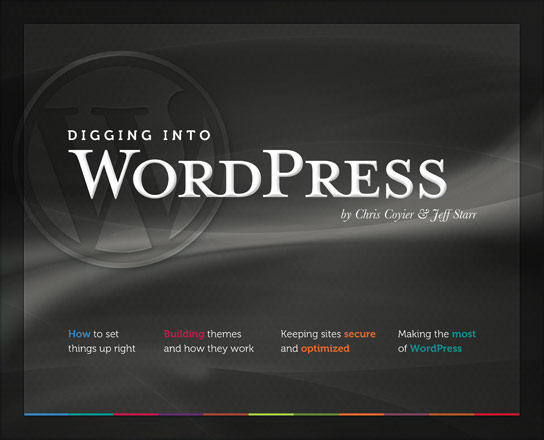
It’s here! Digging Into WordPress Version 3.0 is here and it’s packed with lots of awesome WordPress goodness, including an entire new chapter on WordPress 3, plus lots of updated core content, and a super-sleek new cover that I think is a huge improvement. You’ve got to check out the book’s sweet dark/black cover, expertly crafted by Chris:

Pimp your wp-config.php
Easily, the most important file in your WordPress installation is the wp-config.php file. It serves as your site’s base configuration file, controlling key aspects of WordPress’ functionality and enabling WordPress to do mission-critical stuff like connect to the database. Without wp-config.php, WordPress simply won’t work. So whenever you install WordPress, one of the first things to do is pimp your wp-config.php with some custom WP configuration tricks.

Easy Comment Management via SQL Queries
Here are some sweet SQL code snippets for easy comment management. Sometimes it’s easier to modify comment status and delete unwanted comments on a sitewide basis. Using a program like phpMyAdmin makes it so easy to do stuff like remove spam, close/open comments on old posts, enable/disable pingbacks for specific time periods, and so on. Just remember to backup your database before running any queries (just to be on the safe side).
WordPress Update: 3.0.1
Just a reminder that WordPress version 3.0.1 is available, so take a few moments and update your website. Staying current is one of the best ways to keep things running smooth, safe and secure. The new version addresses about 50 minor issues and helps to make WordPress 3.0 even better.
Amazingly, WordPress 3.0 was downloaded nearly 11 million times in 42 days. So HUGE congrats and thanks to the entire WordPress crew for an amazing piece of software.