Posts categorized: Admin
Clean Up Weird Characters in Database
It’s been a crazy month, with lots of drama all over the place. Here at DigWP.com, we had an episode where the site was all screwed up and not loading or only partially loading, blank white pages, and the whole bit. During the process of keeping it together and trying to restore full functionality, numerous database imports and exports were performed under a variety of circumstance. During the rush, apparently the most recent database backup file was somehow uncompressed outside of MySQL before final import.
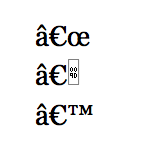
Several days later, that decompression/unzipping basically converted every quotation mark, em dash, en dash, ellipses and other special characters into some really ugly-looking codes.
Change Quick Action Button in Admin
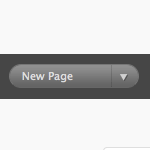
You know the “quick action” button in the WordPress admin? It’s a darn useful little UI touch. At the Dashboard, the default is “New Post”. But depending on where you are in the Admin, the default of it changes. In general it’s really helpful. For example when you are in the Plugins area, the default is Install Plugins:
Bring Back Single-Column Dashboard
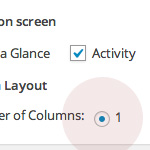
After updating to WordPress 3.8, the single-column Dashboard disappears with no options to bring it back. For years, users could set the number of columns in the Dashboard to suit their needs, but apparently some brilliant decision was made to just remove it. Personal opinions and feelings aside, here is a quick snippet to bring back single-column Dashboard layout for those who were using it and wish to continue doing so.
Attach Unattached Media Files
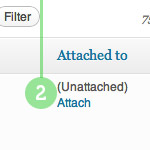
Attaching any unattached media files that you may have floating around is a good way to keep things organized and running smooth. Normally, when you’re working on a post in the Edit Post screen, you click the Upload/Insert button and use the nifty drag-n-drop media uploader to get ‘er done. When you upload your media files in this manner, WordPress “knows” that you want to attach the file to that particular post. Super straightforward sure, but there are situations where WordPress doesn’t know which post to use. In this DigWP post, we walk through the process of finding unattached media files and attaching them to their respective posts.
Add/Remove Buttons from WordPress Write Panel
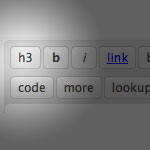
One of the features of WordPress 2.8 was a “increased speed of the Admin area”, which cited compressed JavaScript files as the reason for the speed increase. One of those files that was compressed was the file quicktags.js in the /wp-includes/js/ directory.
Add Shortcut Links to the WordPress Toolbar
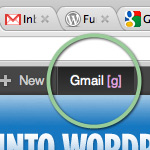
WordPress makes it easy to add custom stuff to the Toolbar. This is a great way to personalize the look and feel of the WP Admin with custom menus, links, or whatever makes sense. To further streamline workflow, you can create keyboard-shortcuts to open your Toolbar links with a single keystroke.

Add Private Content to Posts via Shortcode
Recently, WP-Mix posted an incredibly useful technique that uses a shortcode to add private content to blog posts. This functionality makes it easy to manage leftover data, miscellaneous notes and other communication by keeping everything together with its corresponding post. Consolidating information like this helps to streamline flow and organization into the future.
About the “Warning! WordPress Encrypts User Cookies” Error
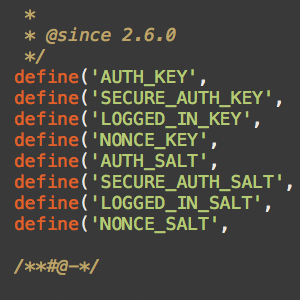
Upgrading from older versions of WordPress is designed to go without a hitch, but depending on the setup and the two versions involved, you may encounter some hangups along the way. For example, if you are upgrading from a version of WordPress older than 3.0, eventually you may encounter the dreaded “Warning! WordPress Encrypts User Cookies” error. This quick DigWP tutorial explains what it is, why it happens, and how to fix the problem asap.